Showing posts with label engineering. Show all posts
Showing posts with label engineering. Show all posts
Wednesday, March 1, 2017
Engineering Week in 1st Grade
During Engineering Week we had special events and activities every day and the students had a blast!
We had a visiting engineer from Lockheed Martin who showed us some of the airplanes they design and told us about different kinds of engineering.
We went to the media lab and had our first (and second) experience with Lego WeDo Robotics. First the students followed the step-by-step instructions to get the correct pieces and build the structure. Then they followed the instructions to create the coding to tell it to move. Then they got to alter the coding to make it do something else on their own. Everyone was successful on our first visit and there was a lot of enthusiasm for this activity. We will return several times to build some of the other structures!
We went to the library for some special makerspaces activities including building a maze for a "brushbot", creating a car and testing it on a ramp, creating something that would catch the wind in the wind tunnel, and trying out a variety of hands-on electronic puzzles. These activities were fast and left the kids wanting to do more!
Finally we got to experience Google Expeditions and visit places around the world with the 3D 360° images. We saw animals in the San Diego zoo, Angel Falls, California's giant redwoods, the pyramids in Egypt, and some undersea creatures. And all of this without ever leaving the school!

Friday, December 16, 2016
MakerSpaces!
This week our class went to the Learning Commons (formerly known as the library) to explore some of the tasks available in the MakerSpaces there. It was a great way to get some engaging, hands-on learning during a week when everyone is filled with a great deal of excitement! Take a look below at all of the different activities we tried!
These students are using the Ozobot robots which have sensors that read and respond to the colors on the surface of an iPad or a sheet of paper. First students made a simple path for the Ozobot to follow. Then they tried to use the colors to send directions for the robots to follow such as go slow, go fast, turbo, etc.
These students are using the Ozobot robots which have sensors that read and respond to the colors on the surface of an iPad or a sheet of paper. First students made a simple path for the Ozobot to follow. Then they tried to use the colors to send directions for the robots to follow such as go slow, go fast, turbo, etc.


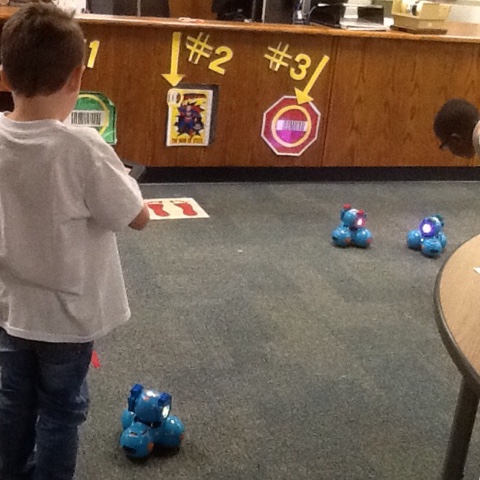
Students also used the Dash robots on the floor and controlled them by making a path on the iPads to tell the robots to go around an obstacle or turn corners.


 We also got to use the new Osmo devices that can "see" what you put on the table in front of them. Students used letter cards to play a spelling game with a partner (or on their own). The cards are color-coded so the device knows which player made the play and gives them their points!


Not everything there was about electronics though! Students used the Legos to try to build the rainbow robot like the model. It was a challenge with just a short time to work!


Our last activity was the maze wall which has large magnetic pieces that can be used to create a maze for the wooden balls to roll down. Students worked together to make a maze with at least 3 layers.


Everyone had a good time learning with new materials about sequence and cause and effect! The students got to experiment and "fail" and try again in a fun way. I know they will be excited to go back and work again soon.
Sunday, November 27, 2016
November Special Events
The last week before our Thanksgiving week off was a busy one at Cannon! First on Thursday we had our Family Engineering Night. We had already constructed rafts in class and investigated sails and tested materials. On the big night students brought their plans and their families and constructed the sails they had designed. The materials workstations in the hall were packed with busy builders!

Students eagerly attached their sails to their rafts. Then it was off to the science lab to test their work. We had "rivers" and "wind" ready (rain gutters and fans, actually) and students faced off with another designer to see whose raft sailed all the way to the end fastest. Students were highly motivated to go back and improve their sails for as long as time, materials, and energy held out!


The next morning we held our first Heritage Day at Cannon and invited grandparents to join us in class. First we talked a little about how times have changed since the grandparents were in school. (Remember chalk, filmstrips, film projectors, typewriters, and messages that had to be carried to the office by hand?) Next we spent a little time showing off our increasing reading skills to all our visitors.


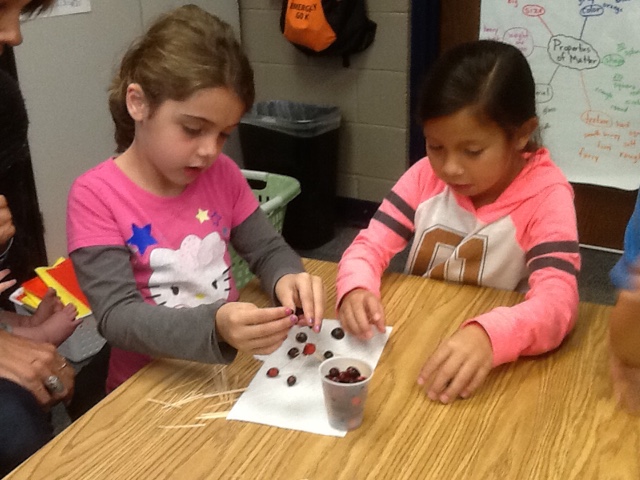
And then students and grandparents participated in a design challenge to build the tallest structure out of only toothpicks and cranberries! You can see some serious design faces hard at work here...

 Kassidy's group had a skyscraper of a tower!!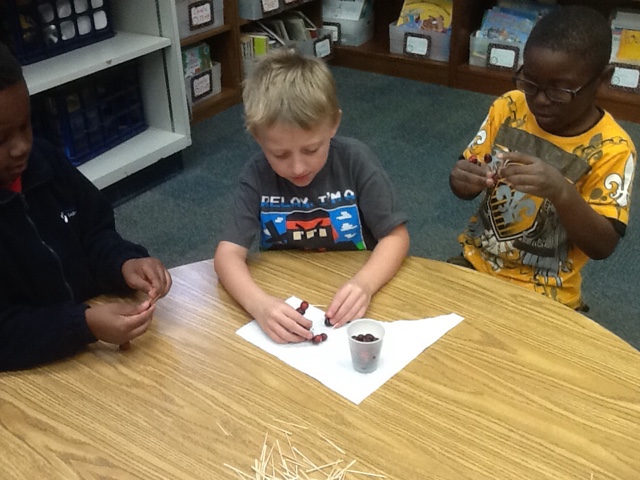




After that the grandparents went off with their grandkids to visit the technology display and the book fair while the rest of us cleaned up and got ready for the rest of our day.
It was great to have all of our families at these events - both the engineers building sails and the grandparents spending time with us during the day. I hope you enjoyed your visits as much as we did!
Sunday, November 6, 2016
Mr. McGregor's Wall
Our most recent engineering challenge was to design a wall to keep a rabbit out of a garden. We began with the "Imagine" stage of the design process. I read the class "The Story of Peter Rabbit" and we talked about the characters and events in the literature. We had a visit at school from "Ruffles" the rabbit so everyone could see a rabbit up close and pet it and get a good look at its fur and claws and strong back legs. We also talked with a garden expert over the internet and asked lots of questions about gardens, garden pests, and how to keep your garden from being eaten. All of these experiences added to the students' background knowledge about the topic and helped them be prepared to be successful.
Then came the "Planning" stage of the design process. We studied the materials that would be available for building and the class worked in groups of about 3 students to design their first plan.
The pictures below show groups in the "Design" stage where they are building their wall according to their first plan and trying to make things work. That led pretty quickly to the "Improve" stage where students tried to fix what didn't work the way they wanted it to. At this point of the design process we always get into a loop of designing and testing and improving as long as time, materials, and energy hold out.


Some walls got taller than others and students learned that with limited resources, you must plan carefully. During our final tests, the robots played the part of rabbits trying to get through the wall. All groups were at least partially successful and during the "Share" part of the design process, we watched the final tests together and discussed what was strong about each wall and what ideas they still have for further improvements.


This design process (imagine, plan, design, improve, share) is what we use to organize our engineering projects, but really it is applicable to many other areas! In math, writing, and reading we try something out (figuring out a new word, solving a problem, spelling a word) and test it to see if it makes sense with what else we know. If it doesn't, we go back to try to improve our solution. As we work through many other design projects this year, students will begin to talk about these stages very naturally and incorporate the "design thinking" into many things they do. Look for examples in daily life of how you use this cycle!
Subscribe to:
Posts (Atom)